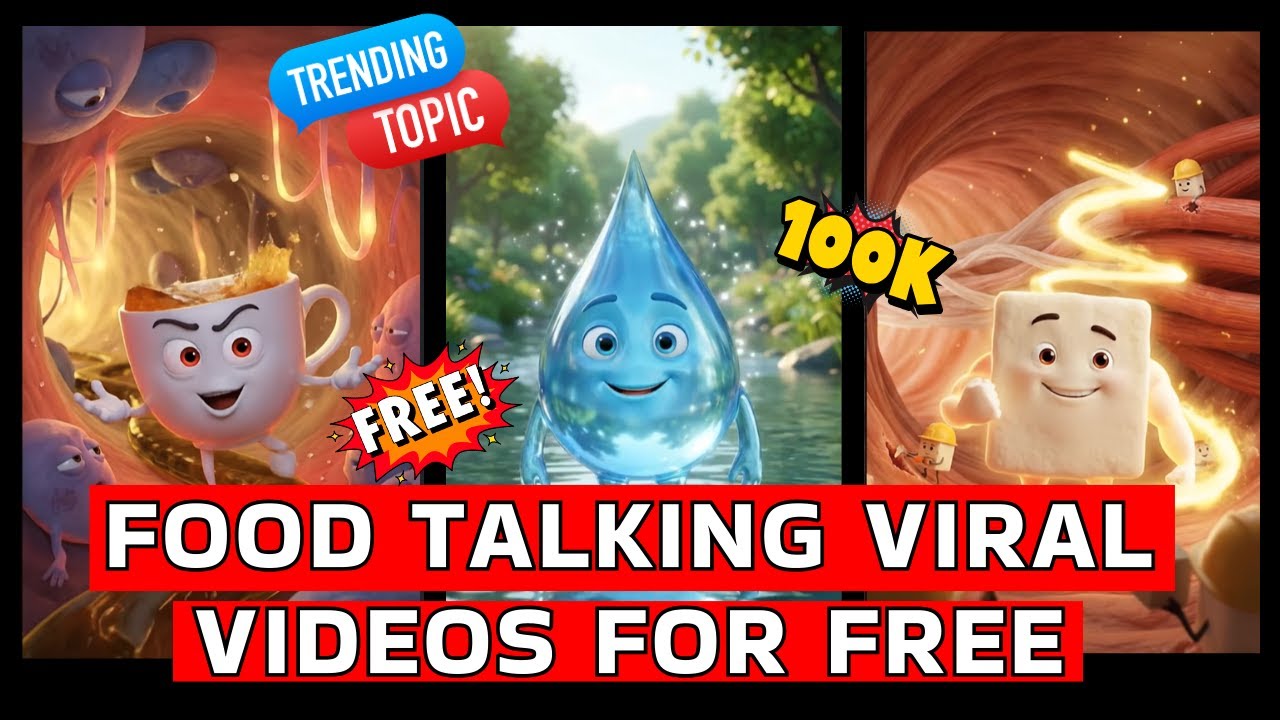
In today’s fast-growing digital world, short-form videos are dominating social media platforms like YouTube Shorts, Instagram Reels, and Facebook. Among the latest viral trends, Food Talking and Object Talking AI videos are gaining massive popularity. These videos feature animated food items or everyday objects that talk, walk, and express emotions like real characters.
Many creators are gaining thousands to millions of followers just by uploading 30–40 such videos. Sounds unbelievable? But it’s happening every day.
In this blog, we’ll explain how you can easily create viral object talking videos using AI tools, exactly as shown in this YouTube tutorial:
👉 Watch the full video here:
Let’s get started.
Why Are AI Object Talking Videos Going Viral?
AI-generated talking food and object videos work so well because they:
- Look unique and eye-catching
- Are funny and relatable
- Create emotional connection
- Are easy to consume
- Perform well on short-video platforms
Viewers love watching a cup of tea, burger, ice cream, or phone talking like humans. These videos feel fresh and entertaining, which makes them highly shareable.
Step 1: Collect a Reference Image
First, you need a reference image.
Go to social media platforms and search for viral food talking videos. Take a screenshot from any trending video and use it as your reference.
Now, open ChatGPT and upload this image.
This image will help AI understand the style, lighting, composition, and structure you want.
Step 2: Generate a Detailed Image Prompt
After uploading the image, ask ChatGPT to generate a detailed prompt for it.
For example:
“Create a detailed AI prompt for this image.”
ChatGPT will analyze the image and provide a full description, including:
- Character style
- Background
- Lighting
- Colors
- Miniature elements
- Camera angle
Copy this prompt.
Step 3: Convert It into a Customizable Template
Now, open a new chat and paste the copied prompt.
Add this instruction:
“Convert this into a customizable format where I can change the main character, background, theme, and miniatures while keeping the same style.”
Submit it.
ChatGPT will now generate a customizable template that you can reuse for multiple videos.
Step 4: Customize Your Character and Theme
The template will usually ask for four main elements:
- Main Character
- Background
- Miniature Workers
- Lighting / Mood
For example:
- Main Character: Tea Cup
- Background: Inside a stomach
- Miniatures: Tiny devils
- Lighting: Bright natural light
You can replace these with anything:
- Burger
- Ice cream
- Juice glass
- Mobile phone
- Chocolate
- Coffee mug
Fill in your choices and submit.
ChatGPT will generate a new optimized prompt for your custom idea.
Step 5: Generate AI Image
Now copy the final prompt and use it in an AI image generator (like ChatGPT image tools or other platforms).
The AI will create a high-quality image where your object becomes the hero character in a cinematic scene.
Download and save this image.
Step 6: Convert Image into Video Using Google Flow
Once your image is ready, it’s time to animate it.
Go to Google Flow and select “Frames to Video.”
Upload your generated image.
Now write a motion instruction.
Example:
“I want this tea cup character walking forward and saying:
‘Hello friends, I am tea. Drink me in limit for good health.’
Character should show gestures and expressions according to dialogue.”
You can write this in Hindi or English.
Tip: Writing dialogues in Hindi often gives better pronunciation for Indian audiences.
Submit the prompt.
Google Flow will process your image and convert it into a realistic animated video.
Step 7: Add Voice and Expressions
The AI will automatically:
- Sync lip movements
- Add facial expressions
- Create body gestures
- Match emotions with dialogue
This makes your video look professional and engaging.
Once done, preview the video and download it.
Step 8: Upload and Go Viral
Now your video is ready.
Upload it on:
- YouTube Shorts
- Instagram Reels
- Facebook Reels
- Moj App
- Josh App
Use catchy titles and hashtags like:
- #AITools
- #TalkingFood
- #ViralAI
- #Shorts
- #ContentCreator
Post consistently and test different variations.
Pro Tips for Faster Growth
Here are some expert tips:
1. Create Multiple Variations
Don’t stick to one idea. Try different objects daily.
2. Focus on Emotions
Funny, motivational, or warning-type dialogues perform best.
3. Keep Videos Short
7–20 seconds works best for virality.
4. Use Trending Sounds
If possible, combine AI voice with trending music.
5. Be Consistent
Upload at least 1–2 videos daily for faster growth.
Benefits of This AI Method
Using this technique, you can:
- Create content without camera
- Save editing time
- Work from mobile or laptop
- Build passive income
- Grow faceless channels
- Monetize faster
This is perfect for beginners, students, and creators who want fast results.
Final Thoughts
AI-powered object talking videos are one of the easiest and fastest ways to grow on social media today. With tools like ChatGPT and Google Flow, anyone can become a content creator without expensive equipment.
By following this step-by-step process, you can generate unlimited viral content ideas and turn them into engaging videos.
If you want to see this complete process in action, watch the full tutorial here:
Start today, experiment daily, and stay consistent. Your viral journey begins now.